Gemini Omni Is Here: Google's Any-Input AI Model Starts With Video Generation (2026 Launch Analysis)
Draft — English source copy for the Gemini Omni blog post. Slug:
google-gemini-omni-multimodal-ai-video-modelTarget: 3,800–4,500 words, news + analysis voice, SEO-optimized. Status: first draft, ready for review. Cover:https://cdn.imaginetovideo.com/blog/cover/gemini-omni-flash.pngPrimary sources: blog.google/innovation-and-ai/models-and-research/gemini-models/gemini-omni/, deepmind.google/models/gemini-omni
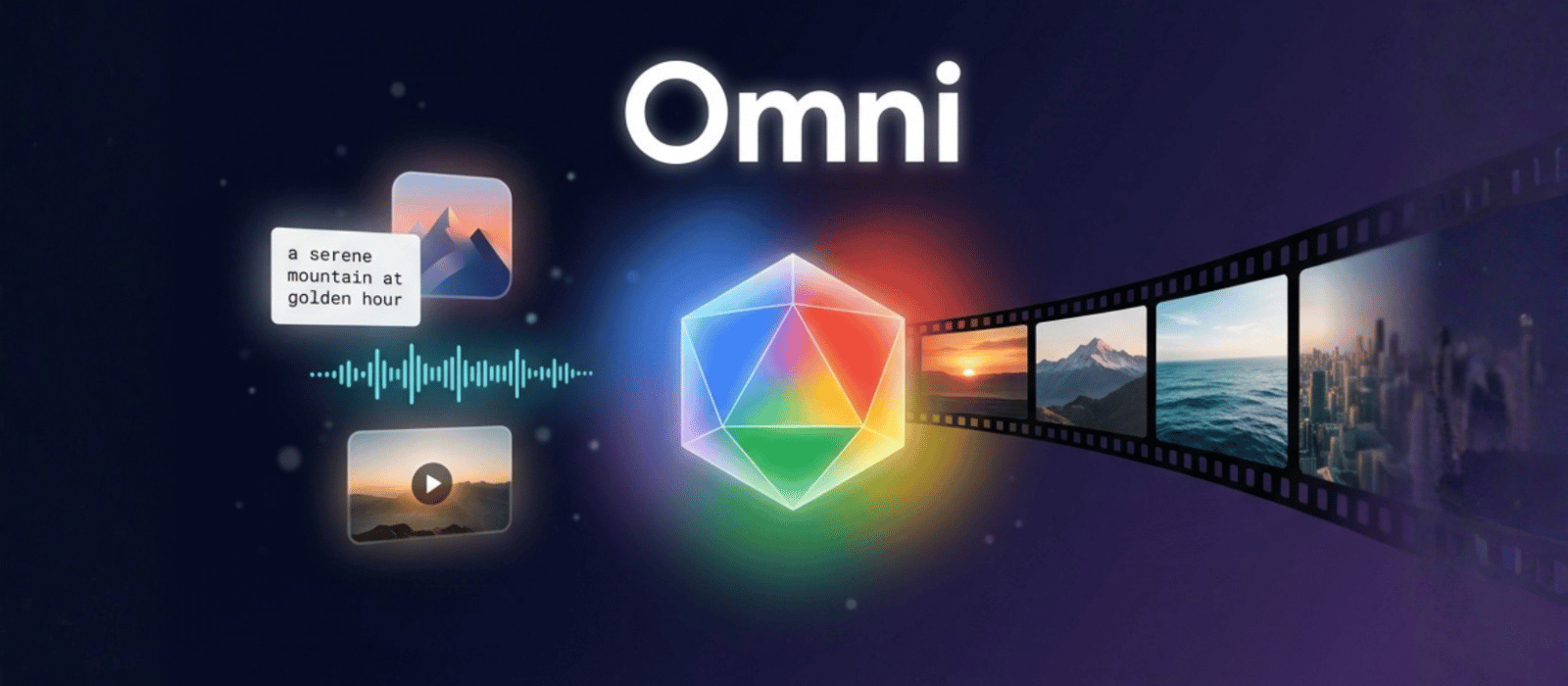
On May 19, 2026, Google DeepMind quietly turned on a model that quietly rewrites the shape of every "AI video generator" article published before this week. Gemini Omni — and its first shipped variant, Gemini Omni Flash — is not a video model bolted onto a chat model. It's a single architecture that takes any input modality (text, image, video, audio) and generates an output modality, starting with video right now and adding image and audio "in time."
Koray Kavukcuoglu, CTO at Google DeepMind, framed it in a single sentence on the launch blog: "Omni is our new model that can create anything from any input." The framing matters. Until this week, the dominant paradigm in generative AI was specialization — Sora for video, Imagen for image, AudioLM for audio, Gemini for chat. Omni rejects that. It's one model, every modality, both directions.
Here's the full picture: what's real, what's still unconfirmed, which platforms have it today, and what it means if you're shipping AI video in production.
What Is Gemini Omni?
Gemini Omni is the name of a new model family from Google DeepMind. The variant currently available is Gemini Omni Flash — Google's naming convention for the latency-optimized tier of a Gemini family (the same suffix you've seen on Gemini 2.5 Flash, Gemini Nano Flash, etc.). A Pro or Ultra tier is implied by the naming but has not been announced.
The defining technical claim is in the official tagline: "a model that can create anything from any input — starting with video." Read that carefully. There are two distinct pieces.
First, "anything from any input": Omni accepts text, images, video, and audio (voice references already supported, with other audio types "coming soon," per the launch post). Multimodal input is not new — Gemini 1.5 already accepted video and audio as input two years ago.
Second, "starting with video": Omni generates video natively, today. Image and audio output are flagged as future capabilities ("in time we will support"). So at launch, the asymmetry is real — any input goes in, video comes out. The "anything in, anything out" tagline describes the architectural ambition, not what you can do on May 22, 2026.
Koray Kavukcuoglu's launch post lists the platforms where the model lives at launch:
- Gemini App — available to AI Plus, AI Pro, and AI Ultra subscribers.
- Google Flow — Google's filmmaking tool, where Omni replaces or augments the previous Veo-based pipeline (the launch post does not specify the relationship explicitly).
- YouTube Shorts — free to use inside the Shorts creator flow.
- YouTube Create App — free, in the dedicated short-form creator app.
- Developer + Enterprise API — "coming in the weeks ahead," per the post.
That's the entire current distribution surface. There is no Gemini Omni Flash endpoint on Vertex AI as of launch, no Google AI Studio toggle, and no third-party platform integration — including, notably, ImagineToVideo, where we're tracking the API release closely. We'll come back to that.
What "Any Input, Any Output" Actually Means Today
The cleanest way to read Omni is as a matrix. Here's the launch-day state, drawn directly from the official Google posts:
| Input → | Text | Image | Video | Audio |
|---|---|---|---|---|
| Video out | ✅ Live | ✅ Live | ✅ Live (editing) | ✅ Voice ref live, other audio "coming" |
| Image out | 🕗 "In time" | 🕗 "In time" | 🕗 "In time" | 🕗 "In time" |
| Audio out | 🕗 "In time" | 🕗 "In time" | 🕗 "In time" | 🕗 "In time" |
So at launch, every cell in the "video out" row is live or partially live. Every other row is a promise. Until Google ships image and audio output, "Omni" in practice means "any-input → video," which is still a meaningful claim — no public model has shipped that exact matrix before.
A few specific things Google did not disclose at launch that are worth flagging:
Context length. The blog post does not state how long an input video can be, or what the maximum prompt length is. Veo 3 announced ~8-second outputs at launch; Sora 2 went up to 25 seconds on Pro tier. Omni's max clip length and max input length are TBD in the public materials.
Benchmarks. There are no published quality benchmarks, no ELO ranking, no head-to-head comparison numbers in the launch post. Google did not claim Omni beats Veo, Sora, or anyone specific. That's a notable absence — historically Google does ship benchmark deltas on the day of launch when they have favorable ones, so the silence is suggestive rather than conclusive.
Pricing per generation. YouTube Shorts is free; Gemini App is gated by AI Plus / Pro / Ultra subscription tiers, the same way Gemini 2.5 was. There is no published per-second credit cost yet. Per-generation pricing will appear when the API opens.
Resolution and frame rate. Not stated. Veo 3 ships native 1080p / select 4K paths; Kling 3.0 ships native 4K at 60fps; Sora was 1080p only before it went offline. Omni's resolution ceiling is not in the launch materials.
This is a launch announcement, not a spec sheet. Treat the numbers above as known unknowns — they'll be filled in over the next several weeks as Google rolls out the documentation alongside the API.
The Five Demonstrated Capabilities
The launch post and the DeepMind model page together demonstrate five distinct capability categories. Each one is worth understanding separately because they imply different production workflows.
1. Video editing with natural-language instructions. Omni can take an existing video clip as input and modify it — change an object's color, swap an action, alter the lighting, change the environment behind a subject. The demo on the launch page shows a single source clip rendered into several visually distinct variants from text prompts. The architectural significance is that you don't need a separate inpainting model, a separate relighting model, and a separate background-replacement model. One model, one prompt, one render.
2. Physics simulation as a video task. Omni demos include marble trajectories on rails, fluid dynamics, and other physical interactions rendered as videos. This is the same category Sora 2 and Veo 3 pushed hard on — physics fidelity as a measurable axis of model quality. Google did not publish a numeric "physics score" but the demo selection makes the positioning clear.
3. Visualizing complex concepts. The launch page shows Omni rendering abstract or hard-to-visualize ideas — the structure of the English alphabet, protein folding sequences, mathematical concepts. This is closer to an educational use case than a film one, and it's a category Veo and Sora have not foregrounded.
4. Multimodal reference fusion. You can feed Omni a style reference (an image), a motion reference (a video clip), and a textual prompt, and the output blends all three. Style transfer and motion transfer have existed as separate models for years (think: AnimateDiff, ControlNet); Omni collapses them into prompt parameters on a single model.
5. Digital avatar video generation. The launch demos include avatar-style outputs — character videos that maintain a consistent identity across frames. This overlaps with Kling V3 Omni's reference-to-video capability and Veo 3's identity-locked subjects, but Google's framing pitches Omni as more flexible than either: any reference, any duration, any modality.
For each of these, the launch examples are short — typically a few seconds — and the "promo video" framing makes it hard to know what the failure modes look like in production. Don't take the demo reel as a guarantee. Treat it as an upper bound on what's possible when Google curates the prompt and the seed.
Where You Can Use Omni Right Now
Four surfaces, three pricing models, one consistent caveat ("API coming weeks ahead"). Here's how to think about each:
Gemini App (AI Plus / Pro / Ultra). This is the deepest surface for casual exploration. You get the full conversational interface — text, images, voice references, multi-turn refinement — wrapped around the model. AI Plus is the entry tier; AI Ultra is the production tier. If you're testing what Omni can do for your specific use case, this is where to do it.
Google Flow. Flow is Google's filmmaking tool — the same product where Veo lived as the underlying generator. Omni replacing Veo inside Flow (or augmenting it; the launch post is not specific) means anyone with Flow access already has Omni access. Flow's editor surface — timeline, scene control, shot consistency — is more production-oriented than the Gemini App's chat interface. For longer-form or multi-scene work, Flow is the right entry point.
YouTube Shorts. Free. This is the surprise — YouTube creators get Omni at the point of upload, inside the Shorts creation flow. The exact UX Google rolled here isn't fully documented in the launch post; expect generation prompts, remix actions, and text-to-Short flows that previously routed through Dream Screen or a Veo-based pipeline to be served by Omni going forward. For creators making 60-second vertical content, this is the cheapest way to try Omni — there's nothing to pay for and no waitlist.
YouTube Create App. Free. Google's dedicated short-form mobile creation app, separate from YouTube proper. Omni features land here in parallel with Shorts.
Developer + Enterprise API. Not yet available. The post says "in the coming weeks." If your production pipeline depends on programmatic access — webhooks, batch generation, multi-user workflows — you wait. We're tracking this closely and will update our blog the moment the endpoint goes live.
A practical consequence of this distribution: for the next several weeks, the only way to evaluate Omni at scale is through interactive surfaces — the Gemini App, Flow, or YouTube. Automated benchmarking, side-by-side comparisons against Kling V3 or Veo 3.1 on identical prompts, and production integration are all blocked on the API release.
Pricing & Access Tiers
Here's the pricing landscape on launch day, drawn from Google's currently published subscription documentation and the launch post itself:
| Tier | Where | Cost | Omni access |
|---|---|---|---|
| YouTube Shorts | Mobile / web Shorts creator | Free | Included |
| YouTube Create App | Mobile app | Free | Included |
| Gemini App — AI Plus | Free Gemini tier (rate-limited) | Entry pricing varies by region | Limited |
| Gemini App — AI Pro | Paid Gemini tier | Subscription, varies by region | Full |
| Gemini App — AI Ultra | Top Gemini tier | Premium subscription | Full, priority |
| Google Flow | Bundled with select Gemini tiers | Tied to AI Pro / Ultra | Full |
| Developer API | Not yet open | TBD per-generation | "Coming weeks ahead" |
Google has not published a per-second credit cost for Omni generations in any of the AI Plus / Pro / Ultra tiers. The pricing model on the Gemini App side is subscription-bundled, not metered — so within your tier's monthly cap, you generate freely until you hit the cap.
For the free YouTube surfaces, "free" is the headline but the implicit cost is the constrained creative surface: YouTube Shorts is a vertical-only, sub-60-second container, and the prompt UI is built for casual creators rather than production pipelines. Free is great for trying Omni; it's not where you'd ship a brand campaign.
The API pricing is the most important unknown for anyone building on top of Omni. Google's developer-facing pricing on prior Gemini models has historically come in at competitive rates against OpenAI and Anthropic per million tokens for text; per-generation pricing for video has been more variable. Watch the AI Studio and Vertex AI pages — that's where it'll appear first.
Gemini Omni vs Veo 3 vs Sora 2 vs Kling vs Seedance — Where the Field Stands
The interesting question isn't "is Omni good." Google's demos look good. The interesting question is where Omni sits in the competitive landscape at the moment of launch.
Here's the field as of May 22, 2026:
| Model | Native 4K | Max fps | Native audio | Multi-modal input | Multi-modal output | API status |
|---|---|---|---|---|---|---|
| Gemini Omni Flash | Not disclosed | Not disclosed | Voice ref ✅, others 🕗 | ✅ (text, image, video, audio) | Video now, image/audio "in time" | "Weeks ahead" |
| Google Veo 3.1 | ✅ Native | 24fps | Native audio in some tiers | Text, image | Video only | Live (Vertex AI) |
| OpenAI Sora 2 | ❌ 1080p only | — | Native | Text, image | Video only | Offline since 2026-03-24 |
| Kling Video 3.0 / Omni | ✅ Native 4K | 60fps | Native (Omni variant) | Text, image, audio (Omni) | Video only | Live |
| Seedance 2.0 | ❌ 1080p only | — | ❌ (silent) | Text, image | Video only | Live |
| Runway Gen-4 | ❌ 1080p only | — | ❌ | Text, image | Video only | Live |
Several non-obvious takeaways.
Omni's distinctive claim is the matrix, not the per-cell scores. Every other model on this list does video generation. None of them claims to be a single architecture that will, in time, also generate image and audio. If Google ships the rest of the matrix on the timeline they're suggesting, Omni's selling point isn't "best video model" — it's "one model, every modality, both directions." That's a structural claim, not a benchmark claim.
Veo 3.1 and Kling V3 are the immediate competitors on the video-out axis. Today, if you need to generate a video, Veo and Kling are mature and battle-tested. Omni is new, undocumented on resolution, and locked behind interactive surfaces. For production work this month, Omni is a tracker, not a tool.
Sora 2 being offline is the elephant in the room. OpenAI pulled Sora 2 on March 24, 2026. The vacuum left by that retirement is what Google is filling. The launch timing is not a coincidence.
The 4K-60fps slot is still uniquely held. Kling V3 is the only model on the public market today doing native 3840×2160 at 60fps. Omni's resolution ceiling has not been announced, so we don't know whether it competes here or sits in the 1080p band. Until Google says, assume Kling 4K mode is the resolution leader.
Native audio output is partial. Voice references are supported on Omni at launch — meaning you can feed a voice clip in. Full audio generation alongside the video appears to still be in development. Kling V3 Omni and Veo 3.1 ship native audio (dialogue, ambient, music cues) in their generation pipeline today. Omni doesn't yet.
The competitive read for May 2026: Omni is the most ambitious architecture on the field, the most untested product, and the one with the longest API runway still to ship. If you're an enterprise buying for the next 18 months, Omni is the bet. If you're shipping content this month, Veo or Kling is the answer.
Why "Omni" Architecture Actually Matters for Video Generation
Strip away the launch copy and the real story is architectural. The default mental model for AI video — assemble a video model, a sound model, an upscaler, and a lip-sync model into a pipeline — is the only model anyone has shipped at scale to date. The pipeline approach has known weaknesses: each stage is a quality gate, errors compound, identity drift creeps in across stages, and audio-video sync is hard because the two modalities are generated independently and aligned in post.
A genuinely unified architecture — one model that internally represents image, video, text, and audio together — sidesteps all of those failure modes by construction. Identity stays consistent because it's not handed off between models. Audio and video stay synchronized because they're decoded together. Style remains coherent across frames because the latent space is shared. In principle.
Whether Omni delivers on the principle in production is the question that May 22, 2026 cannot answer. Google's demos suggest it does. The launch post's claim "starting with video" suggests the unified architecture isn't yet fully expressed across all output modalities — they're shipping it in stages. The real evidence will come over the next two quarters as the API opens, third-party benchmarks land, and the failure modes show up in production work.
There's a related question: if Omni is architecturally unified, does it dominate specialized models on each modality? Not necessarily. A unified model trades width for depth — every modality gets representational budget, no one modality gets all of it. Specialized models like Kling V3 (video-only, heavy training on video, 4K-60fps) may continue to outperform Omni on raw video metrics for a while. Omni's edge isn't on any single axis; it's on the breadth of what you can do without leaving the model.
For production builders, that's the question worth tracking: does Omni's architectural advantage outweigh the per-modality quality gap relative to specialists? The answer depends entirely on workload. For a creator making short videos with mixed prompts, references, and ad-hoc edits — Omni wins on convenience. For a brand campaign shooting hero footage at 4K-60fps for a TV spot — Kling V3 4K probably still wins on the metrics that matter, until Omni catches up on resolution.
When Developers Will Get the API (And What ImagineToVideo Is Watching)
The launch post commits to a developer + enterprise API "in the coming weeks ahead." Google hasn't published a date, an SLA, a pricing structure, or a documentation URL yet. Based on the precedent set by prior Gemini family launches — 2.5 Flash, 2.5 Pro, the Nano family — the typical window between "App access live" and "Vertex AI endpoint live" has been four to eight weeks.
For us at ImagineToVideo, the API timing is the gating factor. Until the Gemini Omni endpoint is reachable over HTTPS with a documented schema and rate limit, we can't integrate it into the platform. Once it is, our roadmap is straightforward:
- Phase 1 (week 1 of API): Add Gemini Omni Flash as a model option in the text-to-video and reference-to-video flows. Pricing will be passed through one-for-one against Google's rate plus our standard infrastructure overhead.
- Phase 2: Surface Omni-specific capabilities — multi-reference fusion, in-clip editing, voice-reference input — as first-class controls in the generator UI.
- Phase 3: Side-by-side comparison runs against Kling V3, Veo 3.1, and Seedance 2.0 on the same prompt sets, with the results published on this blog for transparency.
Subscribe to the ImagineToVideo blog or follow our updates — we'll publish the integration the same day Google's API endpoint opens. In the meantime, if you want to start producing AI video on a battle-tested model today, start with Seedance 2.0 for product clips, Kling V3 Omni for cinematic multi-shot work, or Kling 4K mode for broadcast-grade hero shots.
FAQ
What is Gemini Omni and what's the difference from regular Gemini?
Gemini Omni is a new model family from Google DeepMind, distinct from the Gemini text/chat lineage. The currently shipped variant is Gemini Omni Flash. The core architectural difference is that Omni is built from the ground up for multimodal input and multimodal output — text, image, video, and audio in either direction — whereas earlier Gemini models accepted multimodal input but were specialized to text output. At launch, Omni generates video; image and audio output are flagged as future capabilities by Google DeepMind.
Is Gemini Omni free to use?
Partially. You can use Omni for free inside YouTube Shorts and the YouTube Create app, both of which include the model at no additional cost for creators. Inside the Gemini App, Omni is gated behind the AI Plus, Pro, or Ultra subscription tiers. The standalone developer API is not yet available; pricing for that will be announced when the endpoint opens.
When will Gemini Omni be available on ImagineToVideo?
We're tracking the developer API release closely. Google has committed to "coming weeks ahead" for the API. Once it goes live, our integration timeline is on the order of days — we already have the platform infrastructure to add new video models, and Omni will be available in our text-to-video and reference-to-video flows shortly after the endpoint opens. Subscribe to the blog for the integration announcement.
How is Gemini Omni different from Veo 3?
Veo is Google's prior generation of video model and the underlying engine in Google Flow before Omni. Veo accepts text and image inputs and generates video, including native audio in some tiers. Omni's stated ambition is broader: input from any modality, output to any modality. In practice today, both generate video, and the differences in resolution, frame rate, and audio output are still being established. Inside Google Flow specifically, Omni appears to replace or augment Veo's role — Google's launch post does not draw the exact line between them.
Will Gemini Omni replace Sora?
Sora 2 went offline on March 24, 2026, so the comparison isn't direct. Some of the production workflows that used Sora 2 before its retirement migrated to Kling V3 and Seedance 2.0; Omni is now a third migration target for those workflows. Whether Omni becomes the de facto replacement depends on how the API pricing and quality land relative to the existing alternatives.
Does Gemini Omni support Chinese prompts?
Gemini's text encoder has supported Chinese (and dozens of other languages) for several model generations. The launch post does not explicitly enumerate which languages the prompt interface supports for Omni specifically, but the architectural lineage suggests broad multilingual coverage. Test in the Gemini App with your specific language — that's the fastest way to confirm.
Can I use Gemini Omni for commercial work?
The licensing terms for Omni outputs follow the standard terms of the surface you're using. YouTube outputs are governed by YouTube's commercial terms. Gemini App outputs are governed by Google's AI Plus / Pro / Ultra terms — which generally permit commercial use, with the usual caveats around model-generated content. For enterprise or large-volume commercial production, wait for the API + enterprise tier where the terms are written explicitly for production deployment.
Is Gemini Omni the same as Gemini 3?
No. Gemini Omni is its own model family with its own naming line (Flash, with Pro/Ultra implied but unannounced), parallel to the main Gemini chat lineage. Google has not stated how Omni's training relates to a hypothetical Gemini 3, and the launch materials treat the two as separate product lines.
Bottom Line
Gemini Omni is the most ambitious architectural bet anyone in AI video has made this year. The promise of one model for every modality, both directions, is structurally different from the pipeline approach that defined 2024 and 2025. If Google ships the rest of the matrix — image output, audio output, longer context — on the timeline they're suggesting, the entire mental model of "which AI video tool do I use" gets rewritten.
The promise is May 19, 2026's news. The proof is the API release in "weeks ahead," followed by months of third-party benchmarking. Treat Omni like a tracker today, not a tool. Kling V3, Veo 3.1, and Seedance 2.0 remain the right answers for production work this month — they're documented, priced, integrated, and operating at scale.
For everyone shipping content this week: keep using what works. For everyone building for the next 18 months: subscribe to the API waitlist, watch the AI Studio and Vertex AI documentation, and plan a quarter where you can run side-by-side benchmarks the moment the endpoint opens.
If you want to start producing AI video on a battle-tested model right now while we wait for Omni:
→ Try Seedance 2.0 for fast product and reference clips (~$1 per 5-second clip, 720p)
→ Try Kling V3 Omni for cinematic multi-shot work with native audio (multi-shot sequencing, lip sync)
→ Try Kling 4K Mode for broadcast-grade hero shots (native 3840×2160 at 60fps)
We'll publish the Gemini Omni integration on ImagineToVideo the same day Google's API endpoint goes live. Until then — keep an eye on this blog, and keep shipping.